
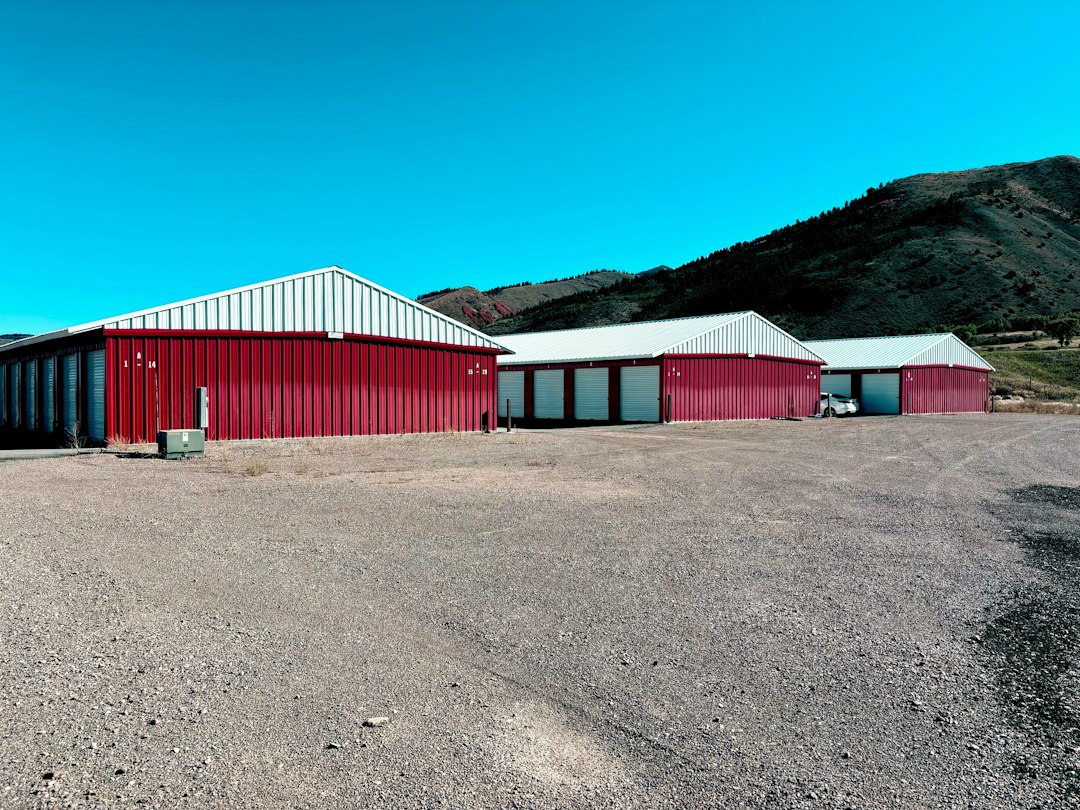

commercial storage during office renovation matters for most readers planning this. Office renovations disrupt operations in ways that standard relocations do not. Your staff needs workspace, clients expect access, and equipment must stay functional or move to temporary storage without losing track of it. Commercial moving services can handle transport and storage coordination while you manage the renovation itself. Bravos Moving can take care of this if you would rather not do it yourself.

Who this checklist is for
This checklist applies to businesses undergoing interior renovations—office refreshes, layout changes, equipment upgrades, or structural work—that require some or all staff to relocate temporarily and assets to be secured off-site. It’s most relevant if your renovation will last weeks or months, your team needs to stay operational during construction, and you have inventory, documents, or equipment that cannot stay in the building.
If you’re moving offices entirely and not returning to the same location, the office relocation checklist is a better fit. This checklist assumes you’re returning to the same space after work finishes.
Before renovation planning begins
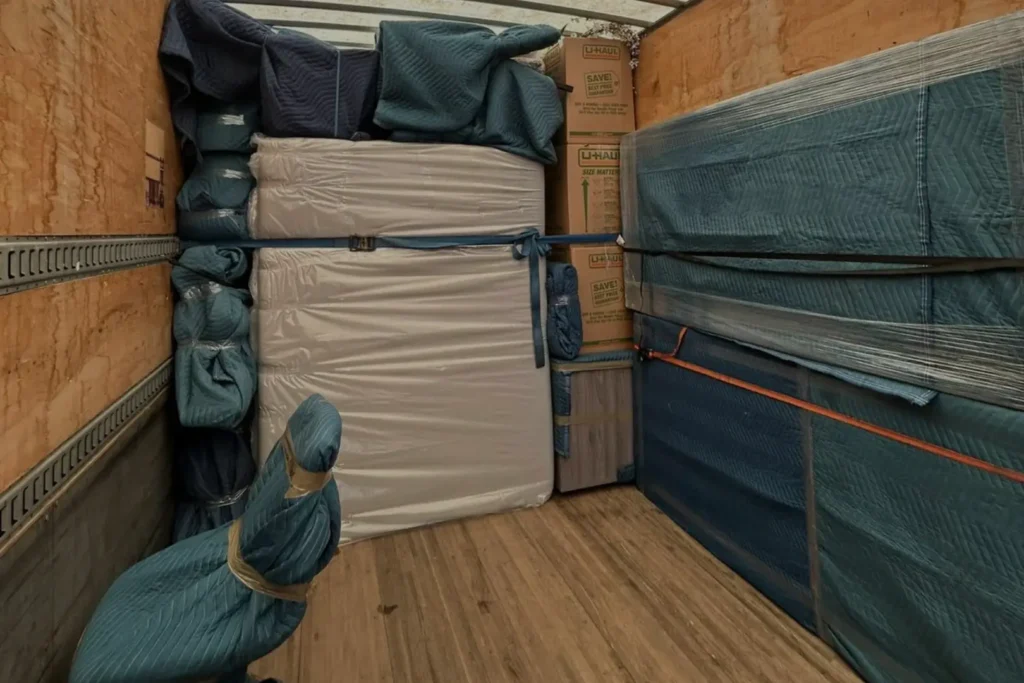
Map what stays, what goes, and what gets archived. Walk the space with the renovation lead and your facilities manager. List everything: furniture, equipment, files, supplies, technology, and décor. Decide what can be safely stored on-site, what must leave the building entirely, and what you can discard before contractors arrive. Items staying on-site still need protection—tarps, plastic sheeting, and securing them against dust and accidental damage.
Communicate this plan to your team early. People need to know if their desks are leaving and where files or personal items will be stored. Last-minute scrambling on move-in day costs time and creates lost-items claims later.
Inventory and documentation
Create a detailed asset list before anything moves. Document each item going to storage: equipment serial numbers, condition (photograph high-value items), quantity, and owner or department. Use a spreadsheet or inventory app—not a handwritten list that gets lost. If something is damaged or missing, you have proof of what was there. If contractors accidentally damage something stored on-site, you can prove the existing condition.
Include photos or video walk-throughs of the space and stored items. Date these clearly. Store the documentation both digitally and in hard copy in a location neither you nor the contractors will accidentally throw away during cleanup.
Selecting commercial storage for renovation phases
Not all storage needs are identical during a renovation. Early phases might require full access to files and supplies. Mid-renovation, you may need climate control for sensitive equipment or documents. Late phases might involve temporary furniture waiting for the space to be ready. storage during home renovation.
Choose a facility with these features: climate control (if storing electronics, documents, or furniture prone to warping), 24-hour access or flexible hours that match your team’s work schedule, security cameras and alarm systems, and clear protocols for contractor or employee access. A unit within reasonable distance of your temporary workspace or the renovation site reduces retrieval time.
Confirm the storage facility’s insurance coverage and ask what your liability is. Standard commercial storage covers theft and weather but may not cover damage from contractor accidents or improper stacking. Document the coverage limits in writing.
Organizing storage for retrieval efficiency
Stack and label strategically. Items you’ll need soon go near the front or on accessible shelves. Things needed only after renovation finishes go deeper. Use uniform labeling: color-coded tags by department, numbered boxes with a master list, or a digital barcode system if your business uses one.
Create a retrieval schedule. If you know you’ll need files from Box 7 on Week 3 and furniture from Shelf B on Week 6, note it. Brief whoever retrieves items on the system. A five-minute conversation prevents people from pulling the wrong boxes or leaving the unit unsecured.
Leave space between stacks for air circulation and inspection. Cramming items floor to ceiling traps dust and moisture and makes damage harder to spot.
Protecting assets during storage
Wrap furniture, electronics, and sensitive items before they leave the building. Dust, construction debris, and humidity are routine during office work but accelerated during renovation. Bubble wrap, furniture blankets, and sealed plastic boxes cost less than replacing a damaged desk or server.
Climate control matters most for items sensitive to temperature or humidity: servers, sensitive documents (which curl and yellow in damp conditions), artwork, and upholstered furniture. If your renovation involves moisture work (plumbing, concrete sealing), standard uncontrolled storage invites mold or rust. The cost of climate-controlled storage is often less than replacing one piece of equipment.
Check the storage facility’s policies on what cannot be stored (flammable materials, perishables, hazardous goods). Make sure your inventory complies.
Coordinating access with contractors and staff
Establish clear access rules before the first item moves. Decide who can retrieve items and when. Can contractors pull materials from storage if they need something? Only your facilities manager? Anyone with written approval? Ambiguity leads to items disappearing or being retrieved without being logged back out.
Use a sign-out sheet or digital log. Record what left the unit, when, who took it, and when it returned. Without it, you’ll spend weeks after renovation searching for items that were actually returned but not recorded.
Give the storage facility a list of authorized users and their contact information. If an unauthorized person claims they need something, the facility staff can call you to confirm before releasing anything.
Insurance and liability during storage
Notify your business insurance provider that you’re using off-site storage during renovation. Some policies have conditions or limits on stored assets. Ask explicitly: Does your general liability cover items in commercial storage? What about items damaged by contractors while moving to storage? Are there dollar limits per item or per category?
Get insurance documentation in writing. If something is damaged or lost, your insurer will ask for proof that you carried adequate coverage at the time of loss.
Consider whether the storage facility should be named on your policy as an additional insured. This clarifies liability if the facility’s negligence causes damage.
Temporary workspace considerations
Where your team works during renovation affects what you need to store and how quickly you need access. If everyone relocates to a temporary office, you’ll need frequent access to files, equipment, and supplies. If some staff work remotely, you might store less but need secure access to sensitive documents and hardware.
Confirm that the storage facility hours match your work schedule. A unit that closes at 5 p.m. is useless if your team works until 6 p.m.
Post-renovation retrieval and inspection
Schedule retrieval before the renovation is completely finished. If you wait until the last day, contractors are still working, your space may not be entirely ready for furniture, and you won’t have time to inspect items for damage before the storage bill continues accruing. Retrieve in stages: essential items and furniture first, archived materials last.
Inspect items as they come back into the space. Check that wrapped furniture isn’t damaged inside the wrapping. Plug in electronics to confirm they still work. Cross-reference the retrieval against your original inventory list. If something is missing or damaged, document it immediately with photos and contact the storage facility and your insurer.
Once the space is fully occupied, retain copies of your inventory, photos, and access logs for at least a year. If a damage claim or missing-item dispute arises later, you’ll have proof of the asset’s condition and storage history.
Settling accounts and closing storage
Office renovations rarely finish exactly on schedule. Confirm the end date with your contractor and the storage facility at least two weeks beforehand so you can arrange final retrieval and avoid overage charges. If the renovation extends, the extra storage cost compounds quickly.
Return the unit clean and empty. Take photos of the empty space to confirm you’ve removed everything. Keep the final utility bill and lock-off confirmation in case there’s a dispute over charges.
Planning the move during office renovation
Timing matters. Coordinate the first move (staff and essential items to temp space, the rest to storage) with your contractor’s start date. Coordinate the final move (retrieval from storage and setup in the renovated space) with the contractor’s finish date and your space readiness inspection.
If you’re managing this coordination yourself, the complexity grows quickly. A commercial moving company experienced in renovation-related storage can handle the logistics while you focus on operations and the renovation timeline.
Key items easy to overlook
Sensitive documents and compliance files. Tax records, employee files, client contracts, and regulatory compliance documents often live in filing cabinets and are accessed infrequently during renovation. Mark these clearly and store in climate-controlled space. If your industry has document retention or security rules (healthcare, legal, financial services), confirm that your storage facility meets those standards.
IT equipment and backups. Servers, switches, and network hardware need climate control. Keep backups of critical data off-site, separate from the physical equipment in storage.
Personal items and small equipment. Coffee machines, printers, decorative items, and personal belongings accumulate. Many businesses lose track of these during storage. Create a miscellaneous category and photograph it.
Maintenance of stored equipment. Some equipment degrades if unused for months. Electronics may need periodic powering on. Furniture exposed to humidity may need occasional checking. Build in quarterly facility inspections if the renovation extends beyond two months.
What to confirm with your renovation contractor
Before work starts, confirm the contractor’s responsibilities and yours regarding storage and asset protection. Will they protect items left on-site? Are they liable for damage to items moving to storage, or is that your responsibility once items leave the building? What happens if they need to access something in storage—do they coordinate with you first?
Get these answers in writing as part of your renovation contract.
Deciding when to store versus keep accessible
Equipment and furniture used daily during renovation stays at the temporary workspace. Things not needed until after renovation go to storage. Things used weekly or less often but still needed go to storage with a clear retrieval protocol.
If you’ll retrieve something more than once during renovation, the inconvenience of storage access outweighs the space savings. Keep it accessible or in a monitored on-site area instead. If you’ll retrieve it once or never before renovation ends, storage makes sense.
Managing costs without sacrificing protection
Climate-controlled storage costs more than standard units, but the difference is worth it for sensitive assets. Standard storage might save $200–$500 per month, but replacing one damaged server or water-damaged file cabinet can cost thousands. Choose based on what you’re storing, not just on price.
Smaller units reduce cost but require tighter organization and more frequent retrievals. Larger units give breathing room but cost more overall. Estimate your actual needs: list items by cubic footage, add 20% for circulation space and future retrievals, then pick the unit size that fits without crowding.
When to hire help coordinating storage and renovation logistics
If your renovation is small (a single department, a few weeks, mostly aesthetic changes), managing storage yourself is feasible. If it spans multiple departments, lasts months, involves equipment relocation, or requires coordination across a temporary workspace, the logistics quickly become a job unto themselves. At that point, hiring a moving coordinator or commercial moving service to handle storage logistics, retrieval scheduling, and asset tracking frees up your team to focus on operations and the renovation itself.
Ready for a clear next step?
If coordinating storage, inventory, and multiple retrievals during renovation feels like a job on top of your actual job, a commercial moving company can handle the logistics. Describe your renovation timeline and assets, and they can manage storage, access coordination, and final retrieval.
Next steps for commercial storage during office renovation checklist
Office renovation storage requires inventory discipline, clear access rules, and strategic packing—not just finding an empty room. Coordinate with contractors and your storage facility before work starts, document everything, and plan retrieval in stages so you're not scrambling when the renovation finishes. If managing the logistics alongside business operations feels overwhelming, commercial moving services can handle the storage coordination and retrieval scheduling while you manage the renovation and your team.
Related: moving boxes and supplies.
Related: King City.
Related: the United States.
Next steps for commercial storage during office renovation
Office renovation storage requires inventory discipline, clear access rules, and strategic packing—not just finding an empty room. Coordinate with contractors and your storage facility before work starts, document everything, and plan retrieval in stages so you're not scrambling when the renovation finishes. If managing the logistics alongside business operations feels overwhelming, commercial moving services can handle the storage coordination and retrieval scheduling while you manage the renovation and your team.
FAQ
What items should stay on-site versus go to storage during office renovation?
Items needed daily during renovation—temporary workstations, essential supplies, frequently accessed files—stay at your temporary workspace or a monitored on-site area. Everything else goes to storage: archived documents, spare furniture, seasonal inventory, and equipment not in use. The rule: if you'll need it more than once during renovation, the inconvenience of retrieving it from storage probably outweighs the space savings. If you'll retrieve it once or never, storage is the right choice.
How do I track inventory in commercial storage without losing items?
Create a detailed spreadsheet before anything moves, with descriptions, quantities, serial numbers, and photos. Assign each item or box a unique number or barcode. Use a physical or digital sign-out sheet every time something leaves or returns to storage. Update it immediately—do not rely on memory. Store the master inventory list both digitally and in hard copy in a secure location. This system is tedious but it's the only reliable way to prove what was stored, what was retrieved, and what might be missing or damaged.
Do I need climate-controlled storage during office renovation?
Climate control is essential if you're storing electronics, sensitive documents, artwork, or upholstered furniture. Temperature and humidity swings can damage servers, curl paper, warp wood, and promote mold. Standard uncontrolled storage is acceptable for most filing cabinets, non-electrical equipment, and durable items. The cost difference—typically $200–$500 more per month—is usually far less than replacing damaged equipment. If you're storing high-value or sensitive assets, climate control is worth it.
Who should have access to storage during renovation, and how do I control it?
Only authorized people should access storage: your facilities manager, designated contractors, or approved employees. Create a written access policy before renovation starts and give the storage facility a list of authorized users. Use a sign-out log (digital or paper) to record what left, who took it, when, and when it returned. Brief the storage facility staff on your policy so they enforce it. Without clear rules and logging, items disappear, get lost, or are retrieved without being recorded back.
What insurance do I need for items in commercial storage during renovation?
Notify your business insurance provider that you're using off-site storage and confirm your coverage. Ask: Does your general liability cover items in commercial storage? What are the limits per item and per category? Does it cover contractor-caused damage during the move to storage? Get answers in writing. Consider having the storage facility named as an additional insured on your policy. This clarifies liability if the facility's negligence causes damage. Keep documentation proving you carried adequate coverage at the time of loss.
When should I retrieve items from storage after renovation finishes?
Start retrieving items before the renovation is completely finished—ideally two to three weeks before the contractor's final sign-off. This gives you time to inspect items for damage, test equipment, and arrange additional repairs if needed without rushing on your move-in day. Retrieve in phases: essential furniture and equipment first, archived materials last. Inspect everything as it comes back into the space and compare it against your original inventory. Take photos of any damage and report it immediately to the storage facility and your insurer.