


A moving budget spreadsheet is the single most effective tool to track all relocation expenses, prevent cost overruns, and make informed decisions about which services to hire versus handle yourself.

Most people underestimate moving costs by 20–40% because they forget hidden fees (packing supplies, tip calculations, insurance, travel time between quotes), don’t compare labor rates side-by-side, and fail to account for unexpected items like extra boxes or last-minute storage. A detailed spreadsheet removes guesswork and keeps you accountable throughout the entire process.
This guide walks you through building a practical moving budget spreadsheet, explains what costs to include, shows how to structure it for easy comparison, and gives you real-world examples of how to use it to negotiate better rates and catch overcharges before signing a contract.
What Should You Include in a Moving Budget Spreadsheet?
Your spreadsheet must capture every cost category relevant to your move—not just the movers’ bill. A complete moving budget includes labor, transportation, supplies, insurance, and often-forgotten ancillary expenses.
Start with these core sections:
- Moving company labor and truck rental: Get itemized quotes from at least 3 companies showing hourly rate, estimated hours, truck size, and travel fees.
- Packing materials: Boxes (various sizes), tape, bubble wrap, packing paper, and specialty containers for fragile or oversized items.
- Optional services: Packing assistance, furniture disassembly/reassembly, piano moving, or junk removal if applicable.
- Insurance and liability: Moving insurance or liability coverage protects high-value belongings; list the premium separately.
- Travel and logistics: Parking permits, toll fees, bridge crossings, or specialized equipment rentals (e.g., dollies for stairs).
- Post-move costs: Tips for movers, utility connection fees, address-change services, and any furniture assembly you contract out.
- Storage (if needed): Storage unit rental during renovation or transition periods, calculated by week or month.
- Contingency buffer: Set aside 10–15% of total estimated cost for unforeseen expenses.
Pro Tip: Create a row for each quote you receive—label columns by company name and date so you can compare line-item costs directly and spot pricing inconsistencies (e.g., one company charges significantly more for packing materials than others).
How Do You Structure a Moving Budget Spreadsheet for Easy Comparison?
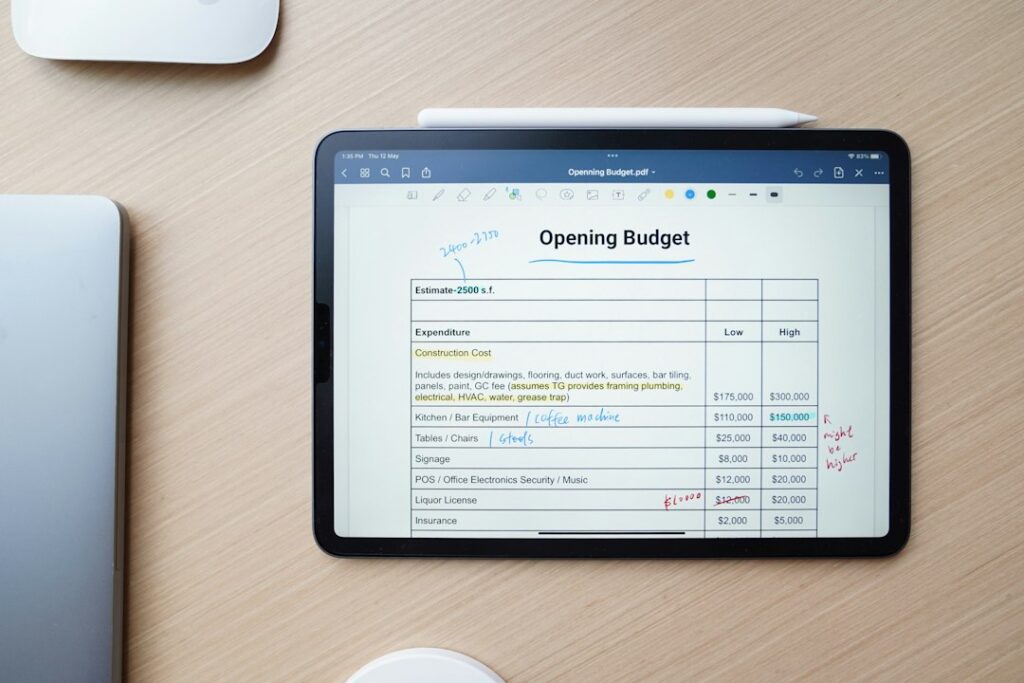
Organization matters because a messy spreadsheet defeats the purpose—you’ll miss savings opportunities and struggle to defend your budget to household decision-makers. A well-structured sheet lets you compare quotes side-by-side and adjust assumptions quickly.
Use this framework:
| Expense Category | Company A Quote | Company B Quote | Company C Quote | Your Estimate | Actual Cost |
|---|---|---|---|---|---|
| Labor (hourly rate × estimated hours) | $2,400 | $2,100 | $2,600 | $2,300 | — |
| Truck/equipment rental | $300 | $300 | $350 | $300 | — |
| Packing materials | $400 | $450 | $350 | $400 | — |
| Travel/parking fees | $150 | $0 | $150 | $100 | — |
| Insurance premium | Included | $200 | Included | $100 | — |
| Movers’ tip | — | — | — | $300 | — |
| Total Estimate | $3,250 | $3,050 | $3,450 | $3,500 | — |
This layout lets you:
- Spot which company charges more for labor versus supplies.
- Identify hidden fees (e.g., Company B charges no travel fee but higher hourly labor—calculate the true difference).
- Track actual costs in real-time and update your forecast if surprises arise.
- Show family members or a business stakeholder a clear, objective comparison.
Use a footer row with a formula (SUM function) so totals recalculate automatically when you adjust estimates. This is especially useful if you negotiate with a moving company—change the labor hours or rate, and the total updates instantly.
Pro Tip: Color-code the lowest total in green and the highest in red; this visual cue makes the best value immediately obvious without detailed analysis.
What Costs Do People Forget in a Moving Budget?
Hidden or overlooked costs account for most moving budget surprises. People focus on the movers’ bill and ignore peripheral expenses, which accumulate into a 20–30% overrun by moving day.
Common forgotten costs include:
- Packing supplies purchased piecemeal: One box here, tape there—you’ll spend $500+ without realizing it. Buy in bulk and log each purchase in your spreadsheet.
- Movers’ tips: Standard practice is $15–25 per person for a half-day move, $25–30+ for a full day. Budget $300–500 total depending on crew size and move duration.
- Address-change and utility connection fees: Many utilities charge $100–300 to connect or disconnect service. Postal forwarding is $30–50.
- Parking permits for pickup/drop-off locations: If your old or new address requires street parking permits, you may need a temporary pass (often $50–150).
- Specialty item fees: Moving a piano, art, or electronics often incurs premium labor or protective handling charges ($500–2,000+).
- Junk removal: If you’re decluttering before the move, renting a bin or hiring a haul-away service costs $200–800.
- Return trip for missing items: Forgetting to move a closet or leaving items behind typically costs $300–800 to retrieve.
- Contingency funds: Weather delays, traffic, or extra boxes can stretch labor hours. Budget 10–15% extra.
The most reliable way to catch forgotten costs: ask your moving company for a detailed, itemized estimate. Don’t accept a round number. Insist on breakdowns for labor, materials, and ancillary charges. Then add them row-by-row to your spreadsheet and compare against other quotes.
How Do You Use a Moving Budget Spreadsheet to Negotiate Better Rates?
A professional, detailed spreadsheet strengthens your negotiating position because it shows the moving company you’re serious, informed, and willing to switch if they can’t justify their pricing. Numbers always beat emotion in a negotiation.
Here’s how to wield it effectively:
- Share your comparison openly: Email your spreadsheet (or a screenshot of the comparison columns) to each moving company after you’ve gathered quotes. Say something like, “I’ve received three quotes and I’m comparing labor, materials, and travel fees. Can you explain any significant differences in your quote versus competitors, or is there room to adjust?”
- Highlight specific line-item gaps: If Company A charges $2,400 for labor and Company B charges $1,900 for the same job scope, ask Company A why. They may justify it (e.g., full-service packing vs. self-pack), or they may drop their rate to stay competitive.
- Bundle services for discounts: Many moving companies offer volume discounts if you hire them for labor, packing, and assembly. Update your spreadsheet with a “bundled rate” column and calculate savings.
- Negotiate timing or crew size: Cheaper moving rates often apply in off-season months (November–March) or mid-week moves. Adjust labor hours in your spreadsheet if you’re flexible on date.
- Ask about add-ons you’re willing to skip: If a company’s packing fee is high, ask if you can do your own packing and reduce their labor scope. Update the spreadsheet to show the new total, and use it to justify the savings.
After negotiation, update your spreadsheet with the final agreed-upon rate and lock it in writing (in the contract). This becomes your baseline for tracking actual costs on moving day—any invoiced amount that exceeds the quoted total is a discrepancy worth challenging.
What’s the Best Way to Track Actual Costs During the Move?
Your spreadsheet doesn’t end on moving day. Converting it from an estimation tool to a tracking tool reveals where you succeeded financially and where spending crept above budget—critical learning for your next move or to justify expenses to a spouse, employer, or business partner.
Update your spreadsheet in real-time with these practices:
- Keep all receipts in a folder or photo album: Photograph each receipt immediately after purchase (moving boxes, tape, tape dispenser, utility setup fees, parking, etc.). This is your proof of actual costs and helps you stay accountable.
- Record movers’ invoice immediately upon signing: The final invoice may differ from the quote (e.g., labor ran 1 hour longer). Log the actual amount in your “Actual Cost” column and calculate the variance.
- Flag variances over 5%: If labor cost $2,500 when quoted at $2,300, note the reason (extra hour due to stairs, unexpected packing requests, etc.). This helps you set more accurate estimates for future moves or justify overage costs to decision-makers.
- Log post-move expenses for two weeks: Utility connection, address forwarding, and furniture assembly often happen days or weeks after the move. Keep adding to your spreadsheet so your final total is complete and accurate.
- Calculate your true cost per item moved: Divide total cost by the number of boxes/items (or cubic feet if you have inventory). This metric is useful for budget planning on future moves and helps you decide what’s worth moving versus replacing.
When the spreadsheet is complete, share the final tally with anyone who approved the move (spouse, manager, board) and archive it. This simple act builds credibility and shows you handled the project professionally.
Should You Use a Ready-Made Moving Budget Template, or Build Your Own?
Pre-built templates exist (Google Sheets, Excel galleries, moving company sites), but most are either too generic or too rigid. A template that doesn’t account for your specific move type (e.g., commercial vs. residential, student move, or cross-border relocation) ends up unused.
Consider this trade-off:
| Approach | Pros | Cons |
|---|---|---|
| Pre-built template (Google Sheets, Excel) | Saves setup time; includes common categories; easy to share. | Lacks customization; may include irrelevant rows; not personalized to your move scope. |
| Moving company’s template (if provided) | Aligned with their quote structure; reduces confusion; may include their own line items. | Biased toward their services; hard to compare across companies; limited flexibility. |
| DIY spreadsheet built from scratch | Fully customized to your needs; you control every row; forces you to think through costs carefully; easy to update and share. | Requires initial effort; risk of forgetting categories; need basic spreadsheet skills (SUM, basic formatting). |
My recommendation: start with a simple DIY approach. Create a sheet with the category list from this article, add columns for 3+ company quotes, and build your comparison from there. It takes 30 minutes and costs nothing. If you prefer a head start, download a generic moving budget template and customize it by adding or removing rows to match your actual move type and scope.
From my experience working with people planning moves, I’ve seen that the act of building your own spreadsheet—even a basic one—forces you to confront your move scope honestly. You can’t avoid the question “Do we really need full-service packing, or can we pack ourselves?” when you’re staring at a $400–600 packing fee. That mental clarity alone is worth the effort. People who skip the spreadsheet and just accept the first quote rarely feel confident about their decision, and they almost always encounter surprise costs they didn’t anticipate.
Want help with this?
If you want a straight answer for your situation, send Bravos Moving a note. We read every message and reply with next steps — no generic sales dump.
FAQ: Moving Budget Spreadsheet Questions
How much should I budget for a moving spreadsheet contingency fund?
Budget 10–15% of your total estimated cost as a contingency buffer. For a $3,500 move, that’s $350–525. Use this reserve for unexpected labor hours, extra supplies, last-minute trips, or weather delays. If you don’t spend it, celebrate—but don’t assume you won’t need it on moving day.
Can I use a moving budget spreadsheet to compare a DIY move versus hiring movers?
Absolutely. Add a “DIY column” with costs for truck rental, fuel, equipment rental (dollies, hand truck), and supplies. Don’t forget your time cost—if packing and loading take 40 hours and you value your time at $20/hour, that’s $800 in labor cost. Compare the total DIY cost to the hired movers’ quote. Many people discover hiring is cheaper (or faster) once they calculate true DIY cost.
What if a moving company won’t provide an itemized estimate?
That’s a red flag. Reputable companies always itemize labor, materials, and travel fees so you know what you’re paying for. If a company insists on a flat rate with no breakdown, ask three times in writing, and if they refuse, move on. An itemized estimate is essential for your spreadsheet and for dispute resolution if something goes wrong.
Should I add taxes to my moving budget spreadsheet?
Yes, if applicable. Moving labor is subject to HST/GST in Canada (typically 5–15% depending on province). Ask each moving company whether their quote is before or after tax. If before tax, add a line for GST/HST (e.g., 5–15% of labor + services subtotal) so your final budget is truly accurate.
How do I decide between the cheapest quote and a mid-range option in my spreadsheet?
Don’t default to the cheapest. Review your spreadsheet and ask: What’s the difference in services? Does the lowest bidder exclude insurance, packing, or travel fees that the mid-range option includes? Is their hourly rate lower because they’re less experienced? The best choice is usually the company with the best value—lowest total cost with services and insurance included—not necessarily the lowest line item. If you’re unsure, call the mid-range and lowest-bidding company and ask why the difference exists. Their answers will clarify.
| Key Takeaway | Why It Matters |
|---|---|
| A moving budget spreadsheet forces you to itemize every cost and compare quotes objectively, preventing 20–40% budget overruns. | Most people underestimate or forget hidden costs like tips, supplies, insurance, and utility fees; a spreadsheet captures them all in one place. |
| Organize your spreadsheet with one column per moving company quote so you can compare labor, materials, and ancillary fees side-by-side. | Direct comparison reveals which company overcharges for specific services and gives you concrete data to negotiate better rates. |
| Use your spreadsheet to track actual costs in real-time during and after the move, not just as a planning tool. | Logging real costs teaches you where you stayed on budget and where spending crept up, improving accuracy on future moves and demonstrating accountability to decision-makers. |
| Build your own simple DIY spreadsheet rather than relying on generic templates—it forces you to think through your move scope and customize for your specific needs. | A customized spreadsheet is more likely to be used, updated, and referenced throughout your move than a generic template that doesn’t fit your situation. |
Leave a Reply
You must be logged in to post a comment.