


pack electronics safely moving matters for most readers planning this. Electronics are among the most expensive and fragile items you’ll move. A laptop, television, gaming system, or smart home device can cost hundreds or thousands of dollars. They’re vulnerable to shock, pressure, moisture, and temperature swings during transport. Packing them safely requires protective materials, device-specific handling, and organized cables so you can reconnect everything without guessing. If you’d prefer to avoid the technical risk, professional packing and unpacking services can handle fragile electronics end-to-end. Bravos Moving can take care of this if you would rather not do it yourself.

Why Original Boxes Matter (And When They Don’t)
Original manufacturer boxes are worth keeping and using if you have them. They’re engineered to absorb shock during transport, with molded foam or cardboard inserts that hold the device snugly in place. If a television spent three years in your cabinet, the original box still protects better than improvisation.
Most people don’t have original boxes anymore, and that’s fine. You can pack electronics safely in standard moving boxes if you use the right cushioning. The goal is preventing the device from shifting during transport and protecting it from pressure or impact. Original boxes give you an edge, but they’re not mandatory. moving tips.
Choosing Materials That Actually Protect

Bubble wrap, foam sheets, and packing paper are the foundation of electronic protection. Larger bubbles absorb impact well. Foam sheets provide cushioning without adding excess weight. Packing paper fills gaps so devices don’t shift inside the box.
Avoid newspaper and old magazines for wrapping electronics. The ink can transfer in humid conditions, and newsprint doesn’t cushion as effectively as bubble wrap. Anti-static bags are useful for computer components or sensitive circuitry, but ordinary bubble wrap and foam are sufficient for most household electronics.
For heavier devices like televisions or desktop monitors, reinforce the box bottom and sides with extra cushioning. Place a 2-to-3-inch foam layer on the box bottom before setting the device inside. Wrap the device in bubble wrap or foam, then add another layer around the sides and top before sealing.
Packing Laptops and Desktop Computers
Laptops are simple to pack. Close the lid, wrap it in bubble wrap (3 to 4 layers), and place it in a small box cushioned with foam on all sides. Don’t stack other items on top of the laptop box.
Desktop computers need more care. Remove the tower from its current location at least a day before moving so liquid cooling systems can settle. Wrap the tower in bubble wrap, paying extra attention to corners and protruding cables or ports. Use a box slightly larger than the tower and add 2 to 3 inches of foam padding around all sides.
Computer monitors should be treated like televisions: wrap them securely and cushion heavily on the box bottom. Back up your data before the move. The process creates opportunities for accidental drops or exposure to moisture.
Protecting Televisions and Large Displays
Televisions are fragile despite their rigid appearance. The screen is thin glass prone to cracking from impact or pressure. If you have the original box, use it. If not, use a sturdy moving box slightly larger than the TV.
Wrap the television in at least two layers of bubble wrap, with the bubbles facing outward to absorb shock. Place a 3-to-4-inch cushioning layer of foam on the box bottom, then carefully set the TV upright (never flat) in the box. Upright position distributes weight more evenly and reduces pressure on the screen. Add foam padding on the sides and top, then seal securely. Label it “FRAGILE” and “THIS SIDE UP” on multiple sides.
Do not lay a television flat in a box unless the original packaging designed it that way. Laying it flat concentrates all weight on the screen glass, increasing the risk of internal damage.
Cables, Cords, and Connectors: Organization That Works
Take a photo of your current setup before unplugging anything. Photograph the back of your television, monitor, router, and any other device with multiple connections. This visual reference saves hours during reconnection.
Label each cable at both ends with painter’s tape and a marker. Write “TV HDMI” or “Monitor power” so you know what each cord does. For devices with many cables, use small plastic bags or cable organizers to bundle related cords together, then label the bundle.
Wrap cables loosely rather than coiling them tightly. Tight coils stress connectors and internal wiring. A loose wrap using velcro cable ties is ideal. If you don’t have cable ties, use soft fabric strips rather than rubber bands, which can cut into insulation over time.
Gaming Systems, Printers, and Specialty Devices
Gaming consoles are built tougher than many electronics, but they deserve careful packing. Wrap them in bubble wrap, pack them in a box with foam cushioning on all sides, and keep the power cable and controllers grouped together.
Printers and multifunction devices are heavier and bulkier. Before packing, remove ink cartridges. They can leak during transport if left installed. Wrap the printer in bubble wrap and pad it heavily in a sturdy box. Pack cartridges separately in a smaller box with extra padding, or carry them with you. Ink and toner can create a mess if vibration disturbs them during moving.
Smart home devices are small and easy to underestimate. They’ll still break if dropped or crushed. Group them in a small box with plenty of padding. Pack each device with its charger clearly labeled and accessible.
Temperature, Moisture, and Transport Conditions
Electronics are sensitive to extreme temperature and humidity swings. Moving trucks in summer can reach temperatures well above what’s safe for sensitive equipment. Ask your moving company whether the truck is climate-controlled. Many long-distance moves use uninsulated trucks, which expose electronics to temperature extremes.
Moisture is the bigger risk. Never pack electronics that are wet or damp. If items have been stored in a basement or garage where humidity is high, let them sit in a dry room for a few hours before packing. Pack a small packet of silica gel desiccant inside boxes containing electronics, especially on longer moves or during humid months.
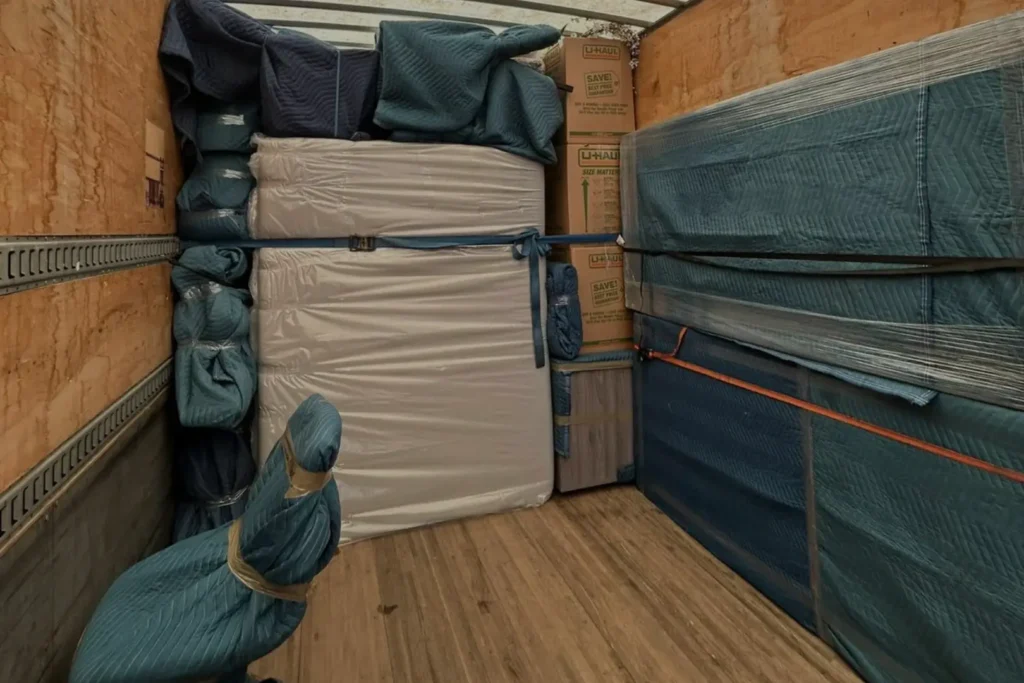
Avoid packing electronics in the middle of your moving truck where pressure from other boxes can concentrate weight on them. Place packed electronics near the front or sides of the truck where they’re less likely to be crushed under furniture or heavier items.
Unpacking and Testing Your Electronics
Resist the urge to plug in electronics immediately after arrival. Let them sit in their new location for at least an hour or two, especially if they’ve been exposed to temperature swings. This gives internal condensation time to evaporate and components time to stabilize. Before plugging anything in, do a visual inspection for obvious damage.
Unpack one device at a time. Use your photos to guide cable reconnection. Plug in the device, power it on, and confirm it works before moving on. If something doesn’t power on, check that power cables are fully seated in their connectors. Try a different outlet. Give it an hour or two before deciding it’s damaged.
For computers and devices with data, reconnect peripherals one at a time so the system recognizes them clearly. This prevents driver conflicts and makes troubleshooting easier.
When to Get Professional Help With Electronics
If you’re moving expensive or sensitive electronics—custom-built gaming computers, high-end audiovisual equipment, or multiple networked devices—professional packing is worth the cost. Movers who specialize in residential moves can wrap, box, and protect electronics using commercial-grade materials. They handle the physical work, which reduces your risk of damage from improper technique or accident.
For long-distance moves, professional packing of electronics is particularly valuable. The longer the transport time and the greater the exposure to temperature and humidity changes, the more protection is worth paying for. Local moves pose lower risk, so DIY packing is more practical if you’re careful.
Double-check your setup before moving day
Electronics fail during moving not because the move itself breaks them, but because reassembly goes wrong or a device sits in poor conditions during transport. A few practical steps the day before—photographing cable connections, labeling cords, backing up data—reduce the likelihood of problems. If your electronics are valuable or numerous, professional packing shifts the risk to someone trained to handle it. Either way, the goal is the same: your devices power on in your new home exactly as they did before.
Need help with this? Locations from our team.
Ready for a clear next step?
If your move includes expensive or sensitive electronics and you'd prefer not to handle packing yourself, professional packing services reduce the risk of damage or poor reconnection after transport.
Next steps for pack electronics safely moving guide
Electronics break during moving not from the transport itself but from poor packing, incorrect cable reconnection, or exposure to extreme conditions. Protect devices with proper materials, document your setup before unplugging anything, and give electronics time to adjust after arrival before powering them on. If your move includes valuable or numerous electronics, professional packing is a practical investment.
Related: moving boxes and supplies.
Related: King City.
Related: the United States.
Next steps for pack electronics safely moving
Electronics break during moving not from the transport itself but from poor packing, incorrect cable reconnection, or exposure to extreme conditions. Protect devices with proper materials, document your setup before unplugging anything, and give electronics time to adjust after arrival before powering them on. If your move includes valuable or numerous electronics, professional packing is a practical investment.
FAQ
Should I pack electronics in their original boxes if I still have them?
Yes. Original boxes are engineered with shock-absorbing foam or cardboard inserts fitted precisely to each device, which provides better protection than standard moving boxes. If you don’t have the original box, you can pack electronics safely in sturdy moving boxes with adequate bubble wrap and foam padding on all sides.
Can I pack electronics in a cardboard box with other household items?
No. Electronics should always be packed in dedicated boxes, cushioned heavily, and clearly labeled so movers know to handle them carefully. Packing them with heavier items or stacking other boxes on top risks crushing or damaging them during transport.
What should I do with cables and cords before packing?
Take a photo of your current setup showing all cable connections. Label each cable at both ends with painter’s tape and a marker so you know which cord belongs to which device. Group related cables together using soft cable ties or fabric strips, and keep them organized in a separate box or bag so they’re easy to locate during unpacking.
Is it safe to pack electronics in an uninsulated moving truck?
Uninsulated trucks expose electronics to temperature and humidity swings, which is not ideal but often unavoidable on long-distance moves. Minimize the risk by placing electronics near the front or sides of the truck (not under heavy items), using silica gel desiccant inside the boxes, and avoiding packing electronics in the middle of summer or winter heat extremes if possible.
How long should I wait before turning electronics on after moving?
Wait at least an hour or two after arrival before powering on electronics, especially if they’ve experienced temperature changes during transport. This gives internal condensation time to evaporate and components time to stabilize. Do a visual inspection first to check for obvious damage.
What do I do if an electronic device won’t turn on after moving?
First, check that the power cable is fully seated in both the device and the outlet. Try a different outlet to rule out a tripped breaker. If the device still won’t respond, give it another hour or two and try again. If it’s still unresponsive, contact the manufacturer’s support line or a repair shop rather than forcing the issue, which could cause additional damage.